
WireGuard server with a web console · free and open source
Silly name
serious VPN.
ihasvpn is a WireGuard server with a web console. Add a phone or a laptop by scanning a QR code, see who is connected and how much they are using, and cut anyone off with a click — on a server you run yourself.
Like our WireGuard server? Check out our webmail too: ihasmail.
What it does
A VPN you can actually see into
Adding a device, knowing who is on, and taking access away again, from one console that works as well on a phone as on a desktop.
Add a device in a minute
Give it a name, and ihasvpn makes the keys, picks an address and shows a QR code. Scan it with the WireGuard app and the phone is connected. For a laptop, download the file instead — it is the same thing, in a form you can double-click.
See who is connected
The dashboard updates every couple of seconds: which devices are on, where they are connecting from, when they last checked in, how long they have been connected and how fast they are moving data right now.
Cut anyone off
Disconnect takes a device off the server and keeps it off until you let it back. Reset session makes it reconnect from scratch. Neither needs a restart, and nobody else on the server notices.
Know how much they use
Usage is kept for every device and for the server as a whole, in five-minute steps for ninety days. Look at the last hour, day, week or month, per device or all together.
Access that ends on time
Give a guest a device that stops working on a date you choose, and it is disconnected when that date comes. Lost a laptop? Rotate its keys with one click and the old ones are worthless.
Keys that never leave the device
A device can make its own keys and hand over only the public half. Its private key stays where it was made, so it never passes through the server or the console at all.
IPv6 through the tunnel, not around it
Turn on an IPv6 range and every device gets an IPv6 address inside the tunnel alongside its IPv4 one. Without that, many devices quietly send their IPv6 traffic straight past a VPN; with it, everything goes the way you meant.
Everything, or just the office
By default a device sends all of its traffic through the server. Point it at just your home or office network instead, for one device or as the default for new ones, and everything else takes its normal route.
Devices kept apart
One setting stops devices reaching each other through the server. Each one can still get to the server and the internet — just not to the laptop of whoever else happens to be connected.
Fast without tuning
The tunnel runs on the WireGuard built into the Linux kernel, with the settings that matter already made — including the fix for the classic "connected, but pages never load" problem. If the kernel can't do it, ihasvpn still works and tells you why it is slower.
Every change on the record
Give someone a viewer account to look without touching, or an administrator account to run things. Either way the audit log records who did what — including every time somebody opened a device's configuration.
Fits the monitoring you have
A health check for whatever watches your containers, and metrics for Prometheus behind a token, so connected devices and traffic can sit on the dashboards you already look at. Everything the console does, a script can do too.
Screenshots
Dark or light, desktop or phone
Dark unless you pick light, and laid out for a thumb as well as a mouse — so cutting someone off from your phone takes the same two taps as anywhere else.
Sign-in
No default password: the first administrator is created when you set it up.
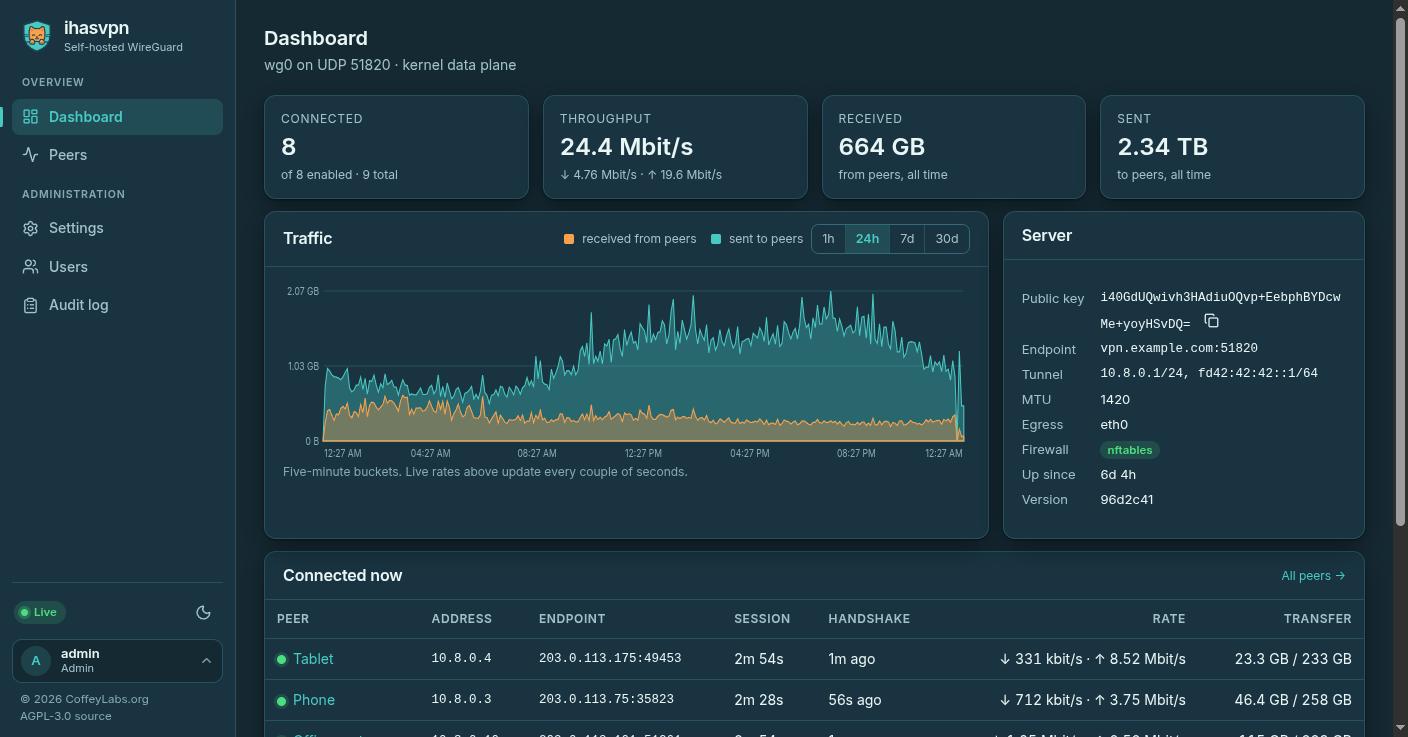
Dashboard — dark
Who is connected, live speed, traffic history and the server's details.
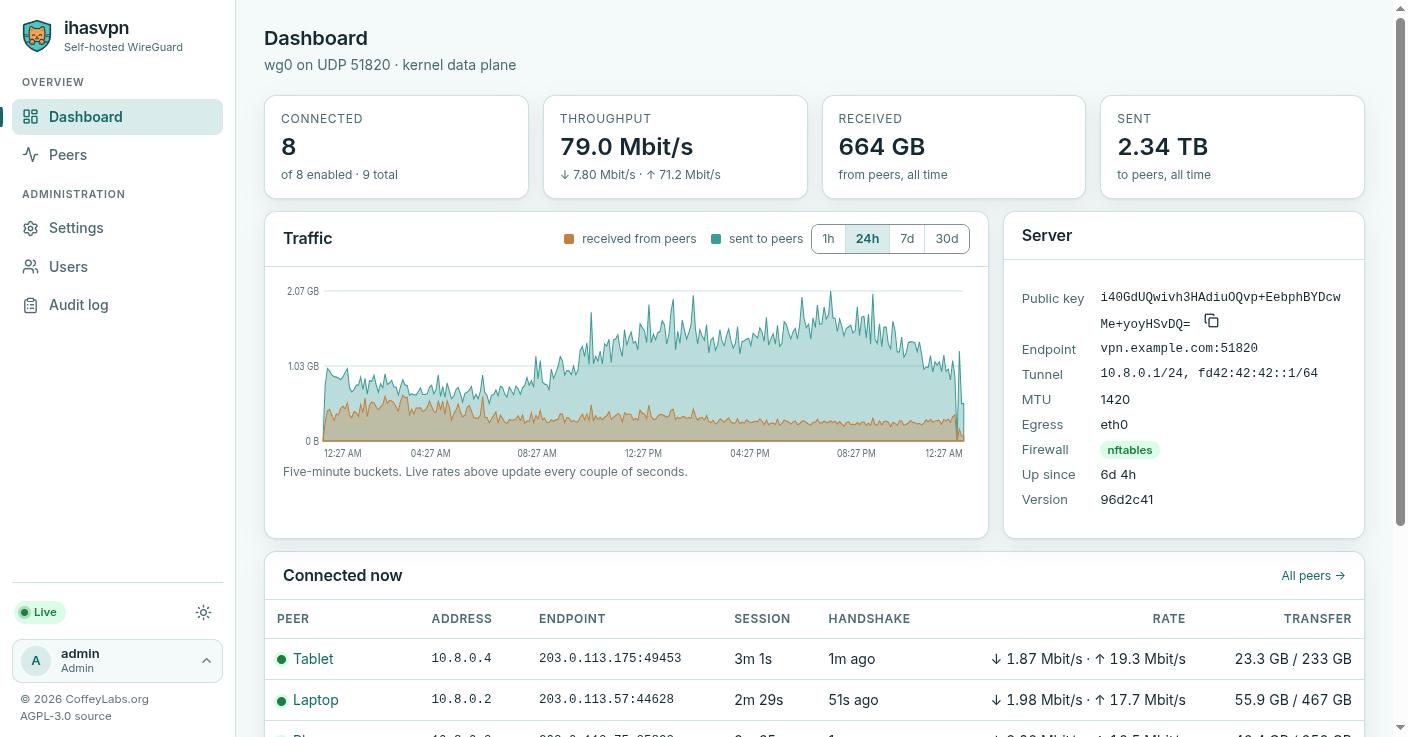
Dashboard — light
The same screen, for anyone who picks light.
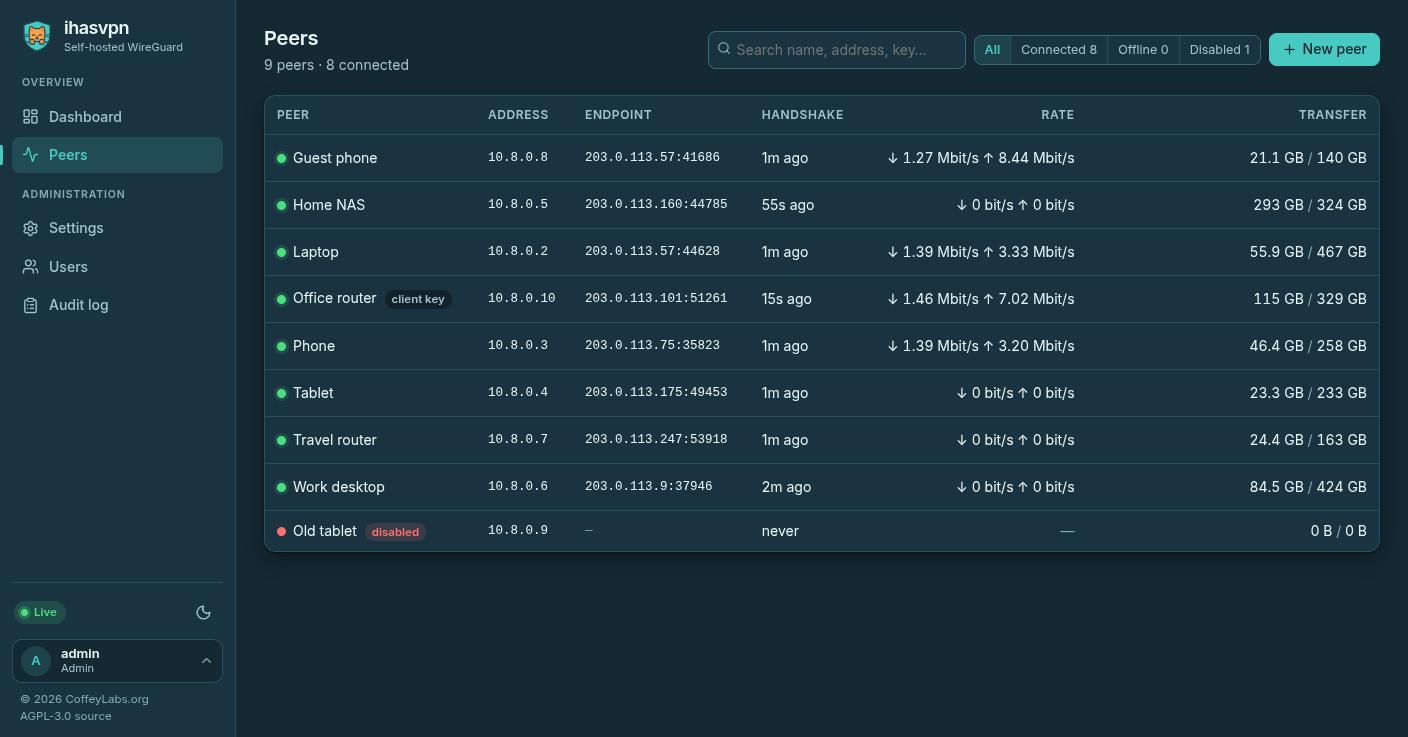
Devices
Connected devices first, with live speed and totals, and a search that finds a device by name, address or key.
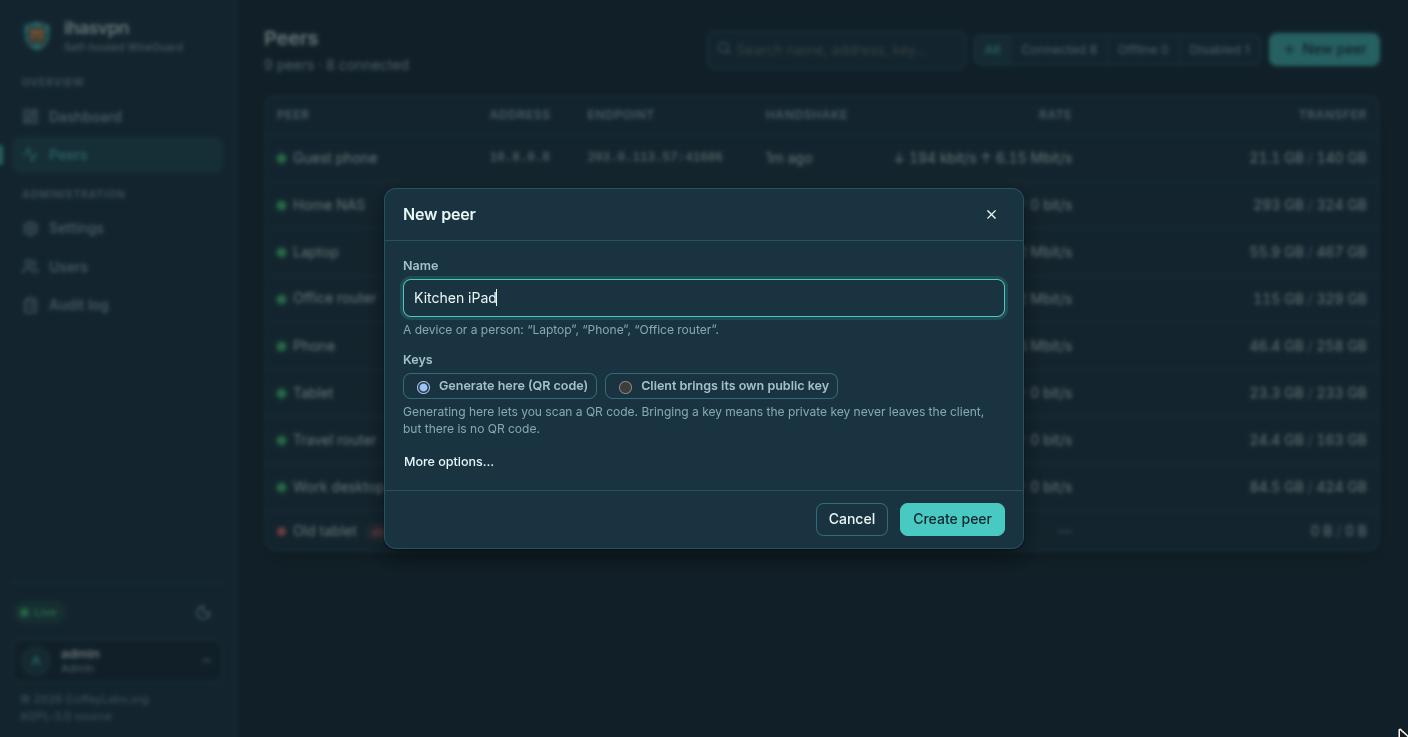
Adding a device
A name is all it needs. Everything else has a sensible default you can change.
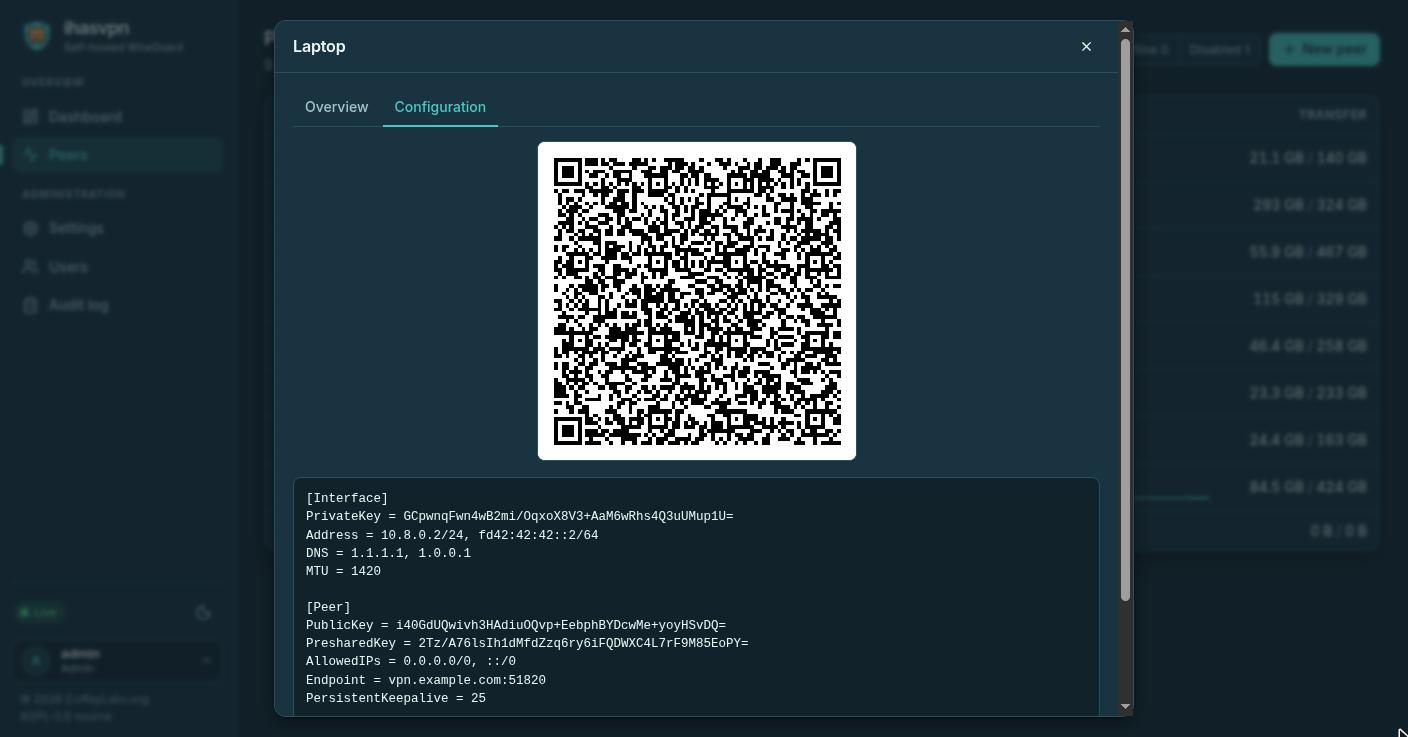
QR code and configuration
Scan it with the WireGuard app, copy it, or download the file.
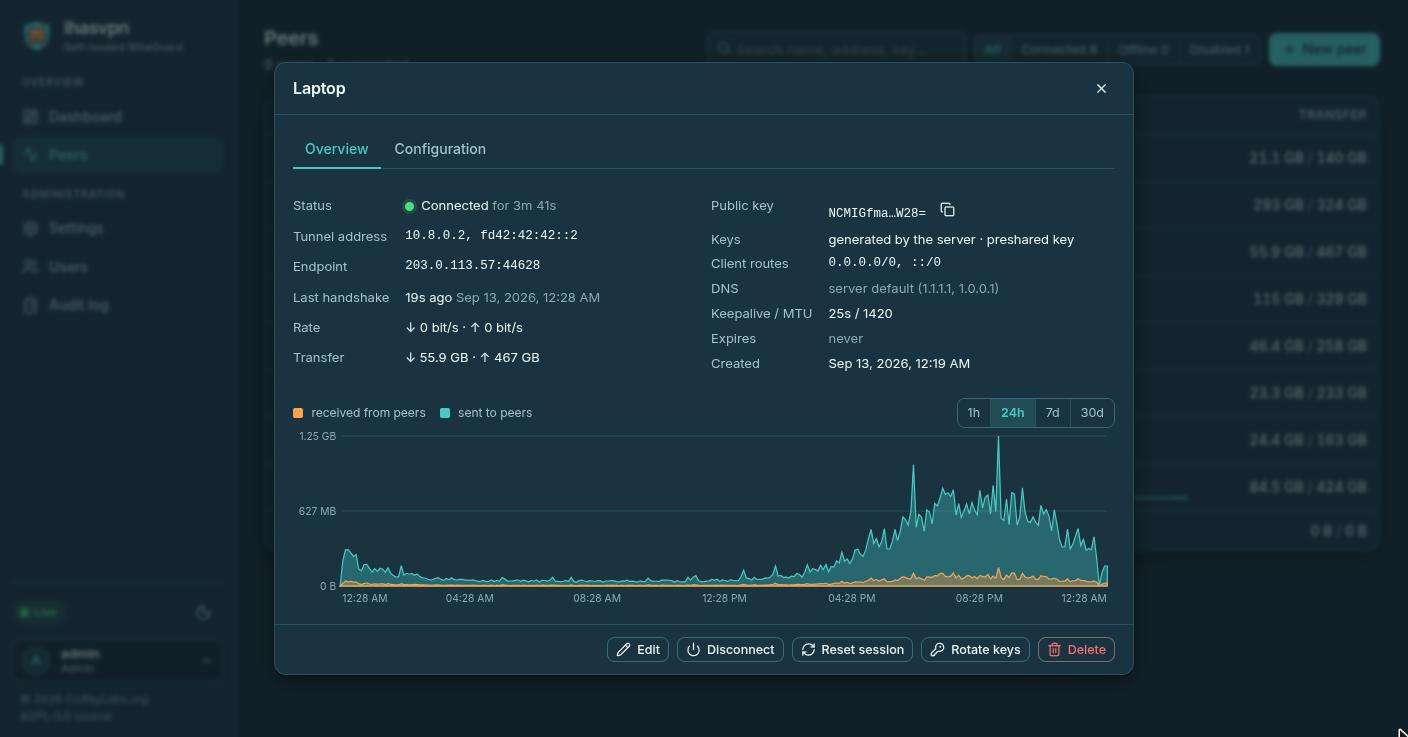
One device
Status, where it connects from, its usage, and disconnect or rotate keys a click away.
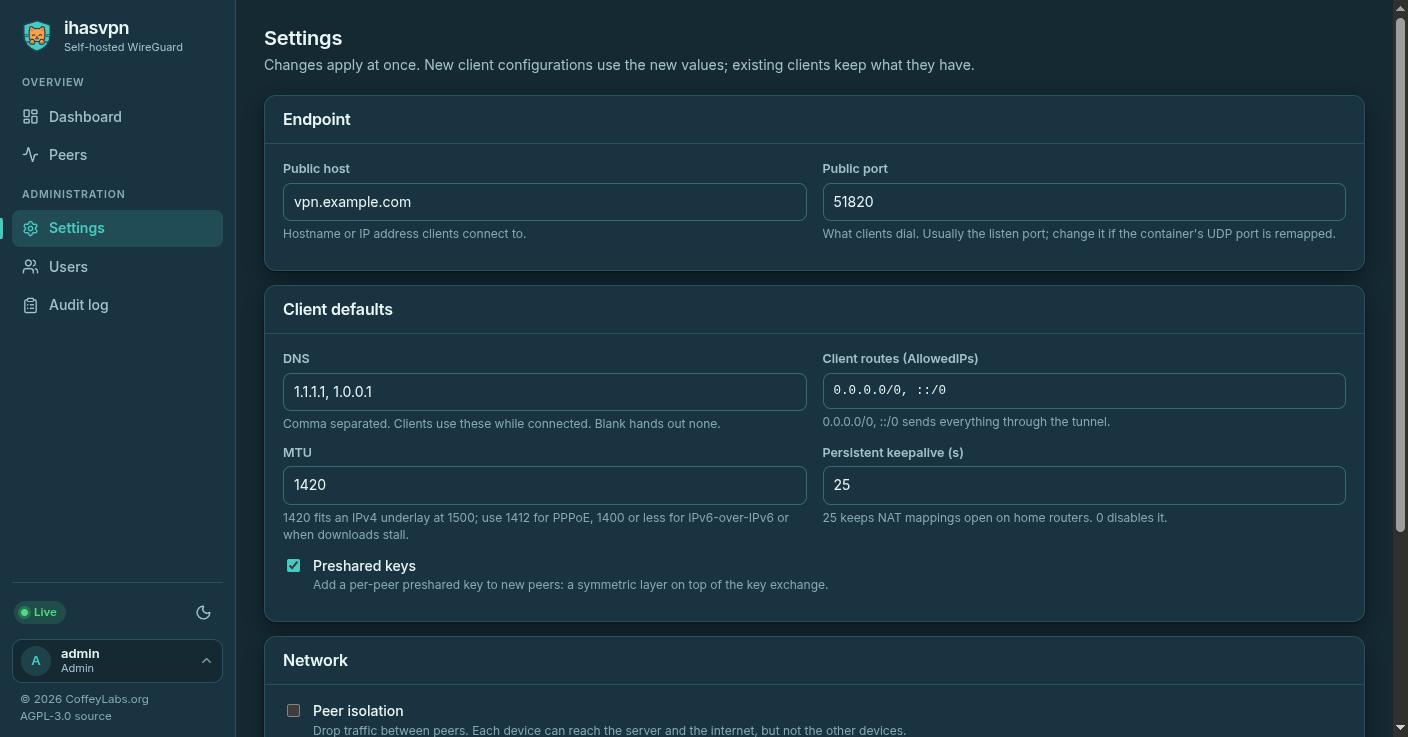
Settings
Address, defaults for new devices, and network options. Changes apply without a restart.
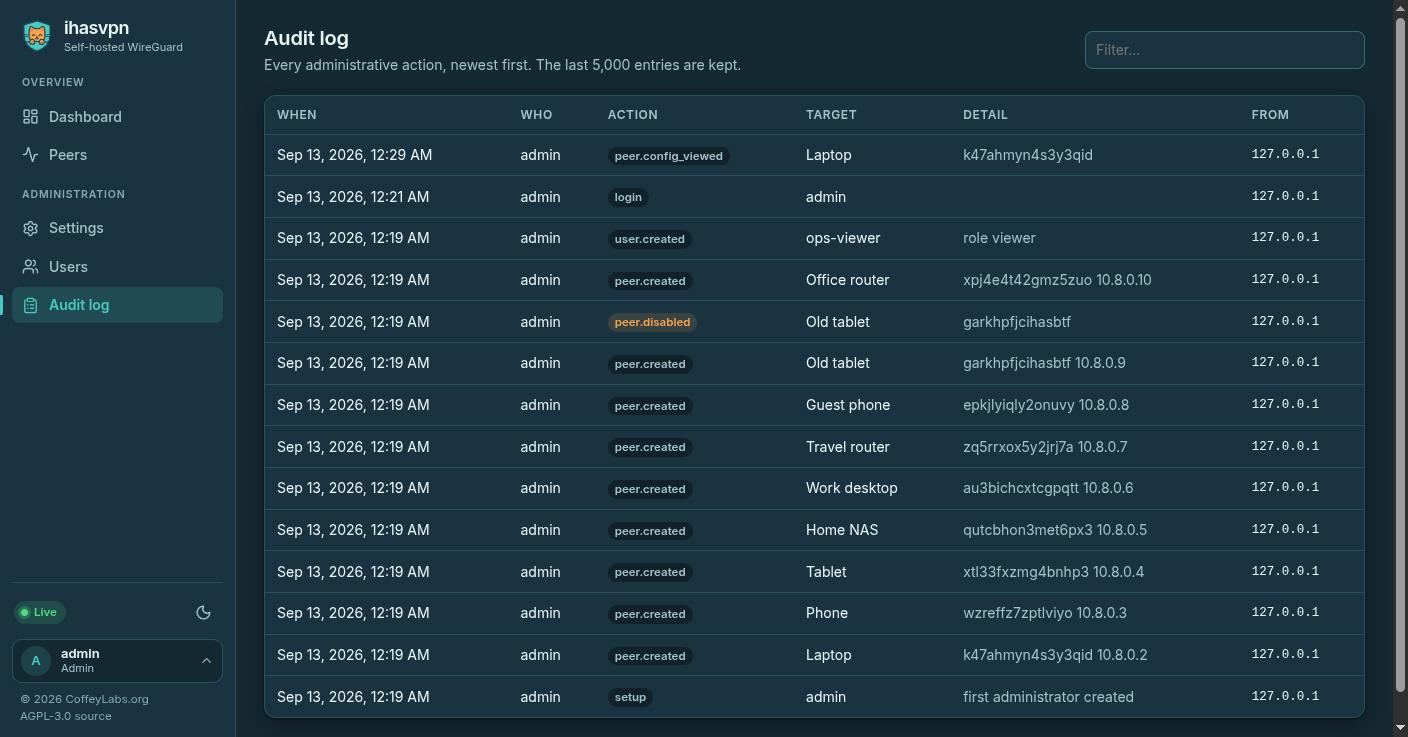
Audit log
Every sign-in and every change, with who made it and from where.
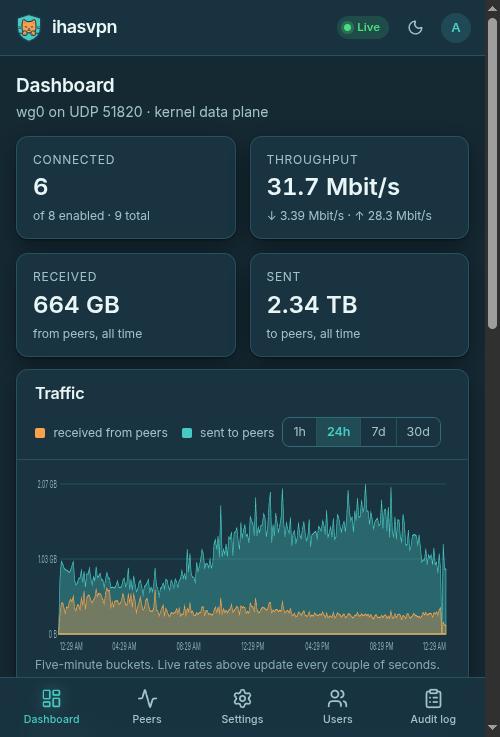
On a phone
A tab bar within reach of your thumb, and the account menu up top.
All screenshots are taken against the built-in simulated server with sample devices — no real network involved.
Devices
If it speaks WireGuard, it connects
There is no ihasvpn app to install. Devices use the official WireGuard apps they already have, so whatever you connect keeps working the way its maker intended.
On the device
- iPhone, iPad, Android, Mac and Windows through the official WireGuard apps, Linux through wg-quick or NetworkManager, and routers that support WireGuard
- Scan the QR code from the app, or import the configuration file — one step either way
- The DNS servers to use come with the configuration, so there is nothing else to set
- Connections stay up behind home routers and mobile networks, which otherwise forget an idle tunnel
From the console
- Send everything through the tunnel, or only the networks you name — per device, or as the default for new ones
- Each device gets its own address, which you can choose or leave to ihasvpn
- A device that brings its own keys is added from its public key alone
- Disconnecting a device takes effect at once, and it stays off until you say otherwise
Running it
One container, one file to keep
ihasvpn is a single container. Everything it knows — devices, keys, settings and usage history — lives in one small database file, so keeping that file safe is the whole backup.
What that means in practice
- One container to start, and nothing alongside it — no separate database, no web server, no firewall scripts to write
- The forwarding and network rules a VPN needs are set up when it starts, and checked, and anything it could not set is shown on the dashboard
- Updating is replacing the container with a newer one; the database comes along and every device carries on
- Restore the data folder and the server's own key comes with it, so devices reconnect without being set up again
- Built for both Intel/AMD and ARM, so a small ARM board will run it as happily as a server
What it needs from you
- A Linux machine with Docker
- One UDP port open to the internet — 51820 unless you choose another
- A hostname or address your devices can reach
- No accounts with us, no tracking, no telemetry, and nothing that phones home
Setting it up takes a few minutes, and the quick start walks through it. If you want every last bit of speed, the performance guide says what to change and when it is worth it.
Safety
The console holds the keys, so it is locked
Whoever controls a VPN console can let anyone into your network. These are the parts of that we took seriously.
Signing in
- No default password to forget to change: the first administrator is created when you set it up
- Passwords are stored with a slow, modern hash, never in a form that can be read back
- Two-factor sign-in with an authenticator app, and recovery codes for the day the phone is lost
- Repeated failed sign-ins are slowed down, and idle sessions sign themselves out
- You can see where you are signed in and end every other session at once
Guarding the console
- Out of the box the console answers only on the machine itself, until you put HTTPS in front of it or turn on its own certificate
- Requests from other websites are refused, so a page you visit cannot act on the console behind your back
- Viewers can look without being able to change anything
- Every change, and every time a device's configuration is opened, is written to the audit log
The full detail, including how to report something, is in SECURITY.md.
Licence
Free software, with nothing held back
ihasvpn is free and open source under the AGPL. There is no paid tier, no enterprise edition, and nothing switched off behind a licence key — what you install is all there is.
The licence asks one thing in return: if you change ihasvpn and run it for other people, those people are entitled to your version of the code the same way you were entitled to ours.
AGPL-3.0-or-later
Copyright © 2026 Coffey Labs. WireGuard is a registered trademark of Jason A. Donenfeld; ihasvpn is not affiliated with or endorsed by the WireGuard project.
About
Built for one lab's machines, then everyone's
ihasvpn is the VPN the machines at Coffey Labs connect through, and it is judged that way — everything here is in daily use by the person who made it. It sits in the same family as ihasmail, and is built to the same idea: one container that does its job well, with nothing else to run.
Bug reports, ideas and patches are all welcome on Gitea, and the README covers installing and running it.
AI disclosure
How AI was, and was not, used
In the product
None. ihasvpn does not look inside the traffic it carries, and nothing about your server, your devices or how they are used is sent to any AI service. The privacy notice says so in full.
In building it
Parts of the code, the documentation and this site were written with the help of AI tools. Every one of those contributions is reviewed, tested and maintained by a person, and the whole result is there to read on Gitea.